

Table of Contents
- Why Motion Sensor Lights Work Well in Hallways
- Motion Sensor Light Placement in a Hallway: Coverage and Position
- Choosing Between Hardwired, Plug-In, and Battery-Powered Options
- How to Wire a Motion Sensor Light to Your Existing Circuit
- How to Fit a PIR Sensor to an Existing Light
- Motion Sensor Light Sensitivity and Timer Settings
- Testing, Troubleshooting, and Maintenance
- Safety Considerations and When to Call an Electrician
- Frequently Asked Questions
Last Updated: October 10, 2026
Why Motion Sensor Lights Work Well in Hallways
Learning how to install motion sensor lights for hallways eliminates fumbling for switches in the dark and prevents wasted energy from lights left running all night.

Hallways are transitional spaces where natural light rarely reaches, making traditional switches impractical.
Motion sensor lights detect movement and activate instantly, transforming hallway lighting into a seamless, hands-free experience.
Motion Sensor Light Placement in a Hallway: Coverage and Position
Correct placement is critical; poorly positioned sensors miss movement or trigger false activations.
Understanding Hallway Geometry and Detection Zones
Motion sensors emit detection in a cone shape (typically 120-180 degrees horizontally) with depth ranging 5-8 metres depending on model. Understanding your hallway's dimensions helps eliminate dead zones.
For narrow hallways (under 1.5 metres wide), mount a single sensor centrally at 1.5-2 metres height, pointing along the walking path rather than across it.
For wide hallways (over 2 metres), test coverage by walking the full width; if the light fails near walls, add a second sensor or angle the first downward.
For L-shaped hallways, install one sensor in each straight section to cover approaches; a corner sensor cannot reliably detect movement around bends.
For hallways with alcoves or doorways, angle sensors away from adjacent rooms to prevent false triggers from activity in other spaces.
Mounting Height and Angle
Mount the sensor 1.5-2 metres high to capture adult movement naturally while avoiding triggers from pets or floor-level air currents.
Adjust height for ceiling: 1.8 metres for low ceilings (under 2.3 metres), 2 metres for high ceilings (over 2.5 metres). Mount to one side, angled downward, to improve detection of people walking toward or away from the sensor.
For hallways with stairs, mount the sensor above the top step, angled downward to detect people ascending.
Avoiding Blind Spots and False Triggers
Before finalising mounting, walk the hallway at normal pace, slowly, and while carrying items to identify blind spots requiring repositioning or additional sensors.
Key placement factors: avoid heat sources (radiators, vents, boilers), direct sunlight, and reflective surfaces (mirrors, glass doors); position 30 cm from corners; point along the hallway length; keep away from moving curtains or blinds.
Testing Coverage Before Final Installation
Test battery-powered sensor placement for 2-3 days using removable adhesive or a portable stand, noting unexpected activations and failures. Adjust position and sensitivity based on real-world use.
For hardwired installation, test placement with a temporary plug-in sensor first to confirm it works before running wiring.
Choosing Between Hardwired, Plug-In, and Battery-Powered Options
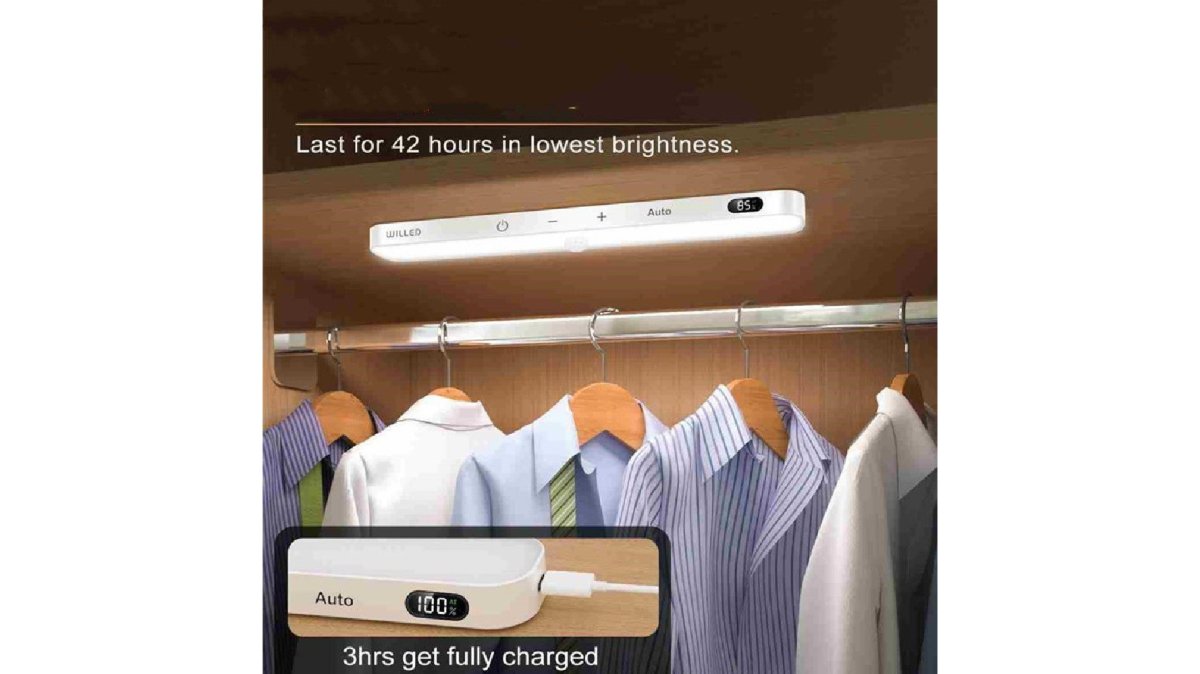
Hardwired lights are permanent and reliable but require wiring expertise or an electrician. Plug-in lights need no wiring but are limited to socket locations. Battery-powered lights offer maximum flexibility and are ideal for testing placement; batteries need replacing every 6-12 months. The Indira Enterprises Ltd Motion Sensor Cabinet Light Battery Display Screen (£29.99) provides an accessible starting point.
Choose based on permanence (hardwired for permanent, battery for temporary), convenience (battery requires no installation), aesthetics (hardwired looks cleanest), and cost (battery lowest upfront, hardwired lowest long-term).
How to Wire a Motion Sensor Light to Your Existing Circuit
Understanding how to install motion sensor lights for hallways via hardwired installation involves connecting the sensor to your home's electrical system. This requires careful attention to safety.
Turning Off Power and Removing the Old Fixture
Switch off power at the circuit breaker and test the existing light to confirm. Remove the fixture cover, disconnect the three wires (live, neutral, earth), and note their positions. Unscrew the mounting bracket and keep hardware safe.
Connecting the Wires and Mounting the Sensor
Connect live wire to the L terminal, neutral to N, and earth to E. Strip 5 mm of insulation and insert each wire, tightening terminal screws firmly. Mount the bracket using original fixing points, positioning the sensor toward the walking path.
Restore power at the circuit breaker; the light should activate when you move in front of the sensor.
How to Fit a PIR Sensor to an Existing Light
PIR sensor modules mount near existing fixtures and connect to a relay unit that switches the light on and off. Mount the sensor with a clear view of the hallway, run two-core wiring to the relay, and connect the relay output to the light circuit. Follow the manufacturer's wiring diagram precisely, then test by walking past the sensor and adjust direction if needed.
Motion Sensor Light Sensitivity and Timer Settings
Most motion sensor lights include adjustable sensitivity and timer controls. These settings determine how easily the sensor triggers and how long the light stays on.
Motion Sensor Cabinet Light Battery Display Screen →
Sensitivity controls movement detection; start at medium and adjust based on results. Timer settings (typically 2-5 minutes for hallways) control how long the light stays on. Dusk-to-dawn feature prevents daytime triggering. Test settings over several days, as winter and summer requirements may differ.
Testing, Troubleshooting, and Maintenance
After installation, test the system thoroughly before considering the job complete. Systematic testing and troubleshooting prevent frustration and identify problems while you're still in installation mode.
Initial Testing Protocol
Walk the hallway at normal pace, slowly, quickly, and while carrying items. Test from different angles and at different times of day. Note activation and deactivation timing; delayed activation or inconsistent response indicates repositioning or sensitivity adjustment is needed.
Systematic Troubleshooting
Light doesn't activate: Confirm power is reaching the fixture (check circuit breaker, wall switch, or battery level).
Light activates constantly: Check for heat sources (radiators, vents, boilers) or direct sunlight and reposition the sensor away from them. Check for reflective surfaces (mirrors, glass doors) and angle the sensor away.
Light flickers: Turn off power and check all wire connections at sensor terminals and circuit breaker, tightening any loose screws. Verify no bare wire touches the fixture or bracket.
Light stays on too long or doesn't turn off:
The timer setting is likely too long. Most sensors have a dial or digital display showing timeout in minutes. Reduce the setting from 5 minutes to 2 or 3 minutes.
If the light never turns off, the sensor may be continuously detecting movement. Check for pets, moving curtains, or air currents triggering the sensor. If nothing is moving, the sensor may be faulty.
Light turns off while you're still in the hallway:
The timer is too short for your typical hallway use. Increase the timeout setting. For a typical hallway, 3 to 5 minutes is a good starting point.
Alternatively, the sensor may not be detecting continued movement. If you're standing still, the sensor won't see movement and will time out.
Environmental Factors and Sensor Behaviour
Motion sensors detect infrared heat, not visible light. Environmental factors affect detection:
- Temperature: On very cold days, people's body heat stands out more, improving detection. On very warm days, the temperature difference between a person and the environment is smaller, reducing detection range. If detection is poor on warm days, increase sensitivity slightly.
- Clothing: Heavy winter clothing reduces the infrared signature. Light summer clothing improves it. This is rarely a practical problem but explains why detection might seem inconsistent between seasons.
- Humidity: High humidity can slightly reduce infrared detection. This is rarely significant in hallways.
- Dust and dirt on the sensor lens: Even light dust reduces sensitivity. Clean the lens monthly with a soft, dry cloth.
Maintenance Schedule
Minimal maintenance keeps the system reliable:
- Monthly: Clean the sensor lens with a soft, dry cloth. Dust accumulation reduces sensitivity.
- Quarterly: For battery-powered units, check battery level and replace if below 50% capacity.
- Annually: For hardwired units, visually inspect all wire connections for corrosion or loosening. Tighten any loose terminal screws. Check that the mounting bracket is secure and hasn't shifted.
- As needed: Adjust sensitivity and timer settings based on seasonal changes or changes in how you use the hallway.
Safety Considerations and When to Call an Electrician
Electrical work carries real risks. Understand when to proceed yourself and when to hire a professional.
Call an electrician if:
- You're unsure about identifying live, neutral, and earth wires
- Your circuit breaker won't switch off or seems faulty
- You discover any existing wiring damage or discolouration
- The hallway circuit shares a breaker with multiple other circuits
- Your home has unusual wiring or an unfamiliar electrical setup
- You're uncomfortable working at height or in confined spaces
- Local building regulations require professional installation
A qualified electrician ensures your installation meets building regulations and electrical safety standards. The cost is worth the peace of mind and safety assurance.
Before starting any hardwired installation, check whether your local building regulations require professional installation or inspection. Many jurisdictions have specific requirements for electrical work in residential properties.
Proper installation prevents hazards. Loose connections cause overheating. Incorrect wiring creates shock risks. Taking time to do this correctly protects your home and family.
Installing motion sensor lights for hallways transforms how you move through your home. Whether you choose battery-powered, plug-in, or hardwired options, the convenience and safety benefits are immediate. At Indira Enterprises Ltd, we understand that modern living means removing unnecessary friction from daily routines. Our curated selection of innovative home gadgets, including motion sensor lighting solutions, helps you create spaces that respond to your needs automatically. Start with a battery-powered sensor to test placement and settings. Once you're confident about positioning, upgrade to hardwired installation for a permanent, seamless solution.
Frequently Asked Questions
Where should a motion sensor light be placed in a hallway?
Mount the sensor at least 1.5-2 metres high on a wall or ceiling, ideally at the hallway's midpoint or entrance. The sensor's detection zone should cover the entire walking path without facing corners or reflective surfaces that cause false activation. If your hallway is longer than 5 metres, consider two sensors positioned to overlap their coverage areas, ensuring no dark spots remain.
Can you install a motion sensor light without an electrician?
Battery-powered and plug-in motion sensor lights are straightforward DIY projects requiring no electrical work. Hardwired installation involves turning off power at the circuit breaker and connecting live, neutral, and earth wires, manageable for confident DIY installers, but hire a qualified electrician if you're uncertain about wiring or if your hallway's existing circuit is unclear.
How do you stop a hallway motion sensor light from turning on constantly?
Reduce sensitivity by adjusting the sensor's potentiometer dial (usually marked 1-10) to a lower setting, and increase the detection range threshold if your model offers it. Ensure the sensor isn't facing reflective surfaces, windows, or heat sources that trigger false activation. Check that ambient light settings are correct, some sensors have a dusk-to-dawn mode that prevents daytime activation.
How long should a motion sensor light stay on?
Most hallway sensors are set to 1-5 minutes, though this varies by model. Shorter durations (1-2 minutes) save energy but may turn off before you've passed through. Longer durations (3-5 minutes) provide convenience but use more power. Adjust the timer dial on your sensor to balance safety, energy efficiency, and your household's traffic patterns.


Leave a comment
This site is protected by hCaptcha and the hCaptcha Privacy Policy and Terms of Service apply.