

Table of Contents
- What Is Lumbar Support and Why Your Lower Back Matters at Your Desk
- How Lumbar Support Cushions Work to Reduce Strain
- Real Benefits: Posture, Spinal Alignment, and Discomfort Relief
- The Disadvantages of Lumbar Support Cushions You Should Know
- Lumbar Cushion vs Built-in Lumbar Support: Which Wins?
- How to Position a Lumbar Support Cushion for Maximum Comfort
- Finding the Best Lumbar Support Cushion for Your Office Chair
- Is a Lumbar Support Cushion Worth the Investment?
- Frequently Asked Questions
Last Updated: October 9, 2026
What Is Lumbar Support and Why Your Lower Back Matters at Your Desk
Your lumbar spine is the lower section of your backbone, five vertebrae that bear most of your body's weight when you sit. A lumbar support cushion fills the gap between your lower back and your office chair, maintaining your spine's natural curve and reducing strain on the discs and muscles below your ribs.
Most office chairs are flat and don't follow your body's contours. Over time, slouching compresses your spine and tightens the muscles around it. Lumbar support props up your lower back, encouraging neutral posture, your spine's natural S-curve rather than a collapsed forward slump.
Prolonged sitting without proper support can lead to chronic lower-back pain that follows you home, into the gym, and through your weekends. The good news: positioning matters more than you'd think.
How Lumbar Support Cushions Work to Reduce Strain
A lumbar support cushion fills the space between your lower back and your chair. Your spine has a natural inward curve in the lumbar region; a flat-backed chair flattens it, and the cushion restores it.
Place the cushion at the height of your lower back, between your waist and the base of your ribs. Its firmness pushes gently against your spine, encouraging a neutral position and reducing the load on your intervertebral discs, the gel-like structures that absorb shock.
In neutral posture, your muscles don't have to tense constantly to compensate for a collapsed position. A cushion doesn't force your back into an unnatural position, it supports the position your spine already wants.
Cushions vary: some use body-moulding memory foam, others firmer materials for consistent support. Thickness typically ranges from 5 to 15 centimetres, but thicker isn't always better, too thick and the cushion pushes you forward rather than supporting your natural curve.
Real Benefits: Posture, Spinal Alignment, and Discomfort Relief
When your spine stays in neutral posture throughout the workday, your muscles work more efficiently, your discs face less pressure, and your shoulders and neck don't compensate for a collapsed lower back. Many office workers find upper back tension eases after a few weeks of consistent lumbar support.
Proper alignment also means better weight distribution: slouching concentrates weight on the front of your discs, while upright posture with lumbar support spreads the load evenly across your vertebrae. That's why people with existing lower-back discomfort often report relief from a proper cushion.
The posture improvement is measurable: sit without support and your shoulders roll forward; add lumbar support and they pull back automatically, because your spine is no longer fighting gravity.
Some office workers report that consistent lumbar support helps them stay alert. Slouching compresses your chest and limits breathing; better posture opens your chest cavity, improving oxygen flow and focus.
Relief comes gradually. You won't wake up pain-free the next morning, but after a week or two of proper support many people notice less end-of-day lower-back tension, and after a month, some report it's nearly gone.
The Disadvantages of Lumbar Support Cushions You Should Know
Here's where most guides get it wrong: they oversell lumbar support as a cure-all. It's not. A cushion can reduce strain, but it can't fix everything.
First, a cushion only works with consistent, correct use. Your muscles need steady support to retrain themselves, so inconsistent use means inconsistent results.
Second, if you have severe lower-back pain or an existing condition like sciatica or a herniated disc, a basic cushion might not be enough. Some people need medical intervention, physical therapy, or a more sophisticated ergonomic setup.
Third, cushions can be uncomfortable at first. If you're used to slouching, sitting upright feels strange while your muscles adapt. This adjustment period typically lasts one to two weeks, but some people abandon the cushion before giving it a fair chance.
Fourth, not all cushions are created equal. A cheap, thin cushion won't provide enough support. A cushion made from low-quality foam will flatten within months. You need to choose carefully, which we'll cover below.
Finally, a cushion addresses one part of the problem. If your desk is too high, your chair too low, or your monitor not at eye level, a cushion alone won't fix your ergonomics, it works best as part of a broader workstation setup.
Lumbar Cushion vs Built-in Lumbar Support: Which Wins?
Some office chairs come with built-in lumbar support. Others don't. This is a key decision point, and the answer depends on your situation.
Built-in lumbar support is integrated into the chair's backrest and usually adjustable up and down to match your spine's curve. The advantage is simplicity: no extra cushion to buy or manage, and the support is always there.
The disadvantage: built-in support is only as good as the chair. Cheap chairs often have minimal or poorly designed lumbar support, and adjustable built-in support is typically found on higher-end ergonomic chairs costing £300 to £800 or more.
A separate cushion is portable and affordable, usable in your office chair, car, or sofa, and it moves with you when you change chairs. A good cushion costs £30 to £100, a fraction of a premium ergonomic chair.
The tradeoff: you must position it correctly each time you sit down, and it may shift if you move around during the day.
Our practical take: if you already have a high-quality ergonomic chair with adjustable lumbar support, you probably don't need a separate cushion.
Many people use both, built-in support at the office chair and a portable cushion for meetings or home working days. It's not either-or; it's about your situation.
| Support Type | Cost | Adjustability | Portability | Best For |
|---|---|---|---|---|
| Separate cushion | £30-£100 | Limited | High | Budget-conscious, multiple locations |
| Built-in chair support | £300-£800+ | Often adjustable | None | Long-term investment, single workstation |
| Both combined | £330-£900+ | Full flexibility | Medium | Maximum comfort, varied work environments |
How to Position a Lumbar Support Cushion for Maximum Comfort
Positioning is everything. A perfectly designed cushion in the wrong spot won't help you.
Sit with your back against the backrest and find your hip bones by sliding your hands down your sides until you feel the bony ridge.
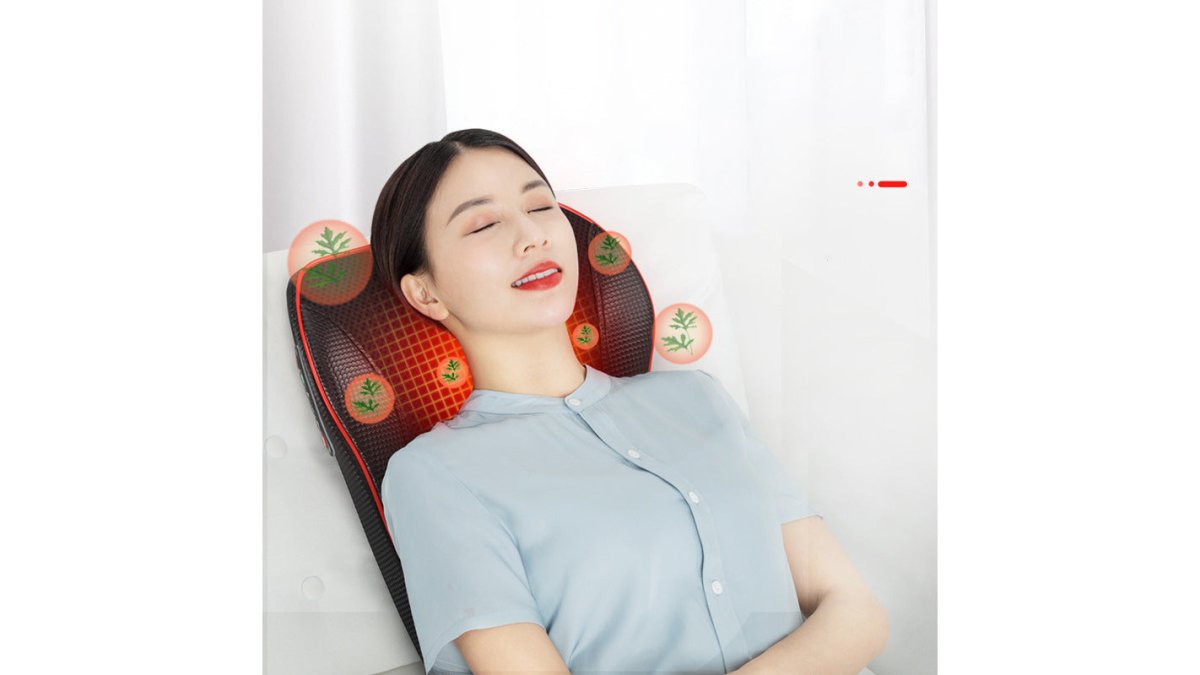
Electric back massager pillow massage body neck with heat →
The top edge of the cushion should align with approximately the top of your hip bones, not higher, not lower.
Next, adjust the depth: the cushion should fill the gap between your lower back and the chair without pushing you forward.
Once positioned, check your posture: shoulders relaxed (not pulled back unnaturally), feet flat on the floor or a footrest, monitor at eye level, and elbows at a 90-degree angle when your hands rest on the keyboard.
If you feel discomfort, the cushion may be too firm or too thick for your body. Some adjustment is normal, give yourself at least a few days before deciding, since your muscles need time to adapt.
One practical tip: mark the correct position on your chair with a small piece of tape. If the cushion shifts during the day, you'll know where to reposition it, a simple step that makes a huge difference in consistency.
Finding the Best Lumbar Support Cushion for Your Office Chair
The market for lumbar cushions is crowded, and quality varies dramatically. Here's what to look for.
Material matters. Memory foam moulds to your body, but quality varies: good foam holds its shape for years, cheap foam flattens within months. High-density foam is firmer and more durable, and some cushions combine a firmer base with a softer top layer.
Thickness affects support. Cushions range from 5 to 15 centimetres thick. If you're new to lumbar support, start with 8 to 10 centimetres, thicker isn't better; it's about matching your body's needs.
Firmness is personal. A larger frame or existing lower-back pain may call for firmer support; if you're petite or new to lumbar support, medium-firm is often a good starting point.
Check the cover. For daily use, a breathable, removable, machine-washable cover is essential, you'll sweat and dust accumulates. Mesh covers breathe well; some fabrics trap heat.
Heat management is often overlooked. Memory foam retains warmth, so if your office gets warm or you run hot, look for cooling gel or breathable materials.
Adjustability adds flexibility. Straps keep cushions from shifting, and adjustment mechanisms change height or angle. If you move around or share your chair, adjustable features are worth the extra cost.
At Indira Enterprises Ltd, we understand comfort is individual.
Is a Lumbar Support Cushion Worth the Investment?
Here's the honest answer: it depends on your situation.
If you spend six or more hours a day in an office chair and experience lower-back tension, a cushion is worth trying.
If you already have a high-quality ergonomic chair with adjustable lumbar support, a separate cushion is probably unnecessary.
If you work in multiple locations, travel frequently, or use different chairs throughout the day, a portable cushion lets you maintain consistent support wherever you sit.
If you have chronic lower-back pain or a diagnosed spinal condition, a cushion alone might not be enough. Talk to a healthcare professional about whether a cushion should be part of your recovery plan.
If you're on a tight budget and your discomfort is mild, start with posture awareness and workstation adjustments, often simply raising your monitor or adjusting your chair height makes a difference.
The real value of a lumbar support cushion is consistency: it reminds your spine to stay in neutral posture, and your muscles gradually retrain themselves.
For most office workers experiencing mild to moderate lower-back discomfort, a lumbar support cushion is worth the investment. It's affordable, low-risk, and often effective. The key is choosing the right one and positioning it correctly.
If you're looking to go beyond a cushion, consider complementary solutions. The Smart Posture Corrector Brace - Vibration Reminder (£24.99) trains your muscles to maintain upright posture throughout the day with gentle vibration alerts when you slouch. For deeper relief, the Far Infrared Heating Pad for Back 50x60cm - Professional (£45.84) uses infrared heat that penetrates 3 to 5 centimetres deeper than standard heating pads, reaching muscles and joints directly.


| Solution | Cost | Best For | Commitment |
|---|---|---|---|
| Lumbar cushion | £30-£100 | Daily office work | Minimal |
| Posture corrector | £24.99-£33.48 | Habit retraining | Medium (daily wear) |
| Heating pad | £45.84 | Post-work relief | Low (evening use) |
| Ergonomic chair | £300-£800+ | Long-term investment | High (full setup) |
A lumbar support cushion is worth it if you spend significant time sitting and experience lower-back tension.
Frequently Asked Questions
Can a lumbar support cushion actually help with lower back discomfort during prolonged sitting?
A lumbar support cushion can reduce strain by maintaining the natural curve of your spine and distributing pressure more evenly. Many people experience improved comfort during long workdays, though results vary depending on your chair, posture habits, and the severity of existing discomfort. Cushions work best when combined with regular movement and proper desk setup rather than as a standalone solution.
How should a lumbar support cushion sit on an office chair?
Position the cushion at the small of your back, roughly where your natural lumbar curve begins, typically at waist level. The top of the cushion should align with your lower ribs, and it should sit firmly against your backrest without gaps. Adjust height and depth until you feel supported without being pushed forward uncomfortably. A poorly positioned cushion can worsen posture rather than improve it.
Is built-in lumbar support better than a separate cushion?
Built-in lumbar support offers convenience and permanent adjustment options, but a separate cushion provides flexibility if you move between chairs or need to customise firmness. Built-in support often suits consistent workstations, while portable cushions work better for hot-desking or home offices. The best choice depends on your workspace setup and whether you prefer one-time investment versus ongoing adjustability.
What are the main disadvantages of using a lumbar support cushion?
Common drawbacks include discomfort during initial adjustment, potential overheating if the cushion traps body heat, limited durability with extended use, and the fact that they don't address underlying posture habits. Some people find cushions create dependency rather than encouraging natural postural improvement. Results also depend heavily on correct positioning and individual body shape, so they don't work equally well for everyone.

Leave a comment
This site is protected by hCaptcha and the hCaptcha Privacy Policy and Terms of Service apply.